

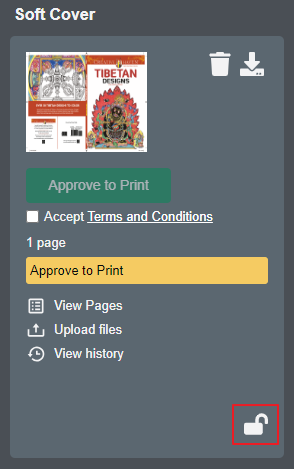
Note: In order to download original files on an entire title, at least one component must be checked out as indicated by its unlock icon. See this article to check out a single component.
Lakeside Scout offers two options for downloading original files:
Download the entire title - all components. This option will include files uploaded as unassigned corrections.
Download an individual component - the cover for example. Any files uploaded as unassigned corrections are not included; use option 1 if these files are needed.
Option 1
To download the entire title, click on the 'Download title files' icon in the upper-right corner of the title banner and click 'Download Originals'.
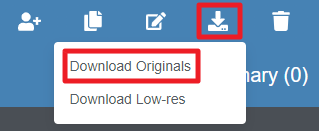
A popup window will appear. Click the Download button to begin the download process. A compressed (zip) file will download after clicking the button. The zip file will contain all original PDFs uploaded to the title including any that were uploaded as unassigned corrections.

Option 2
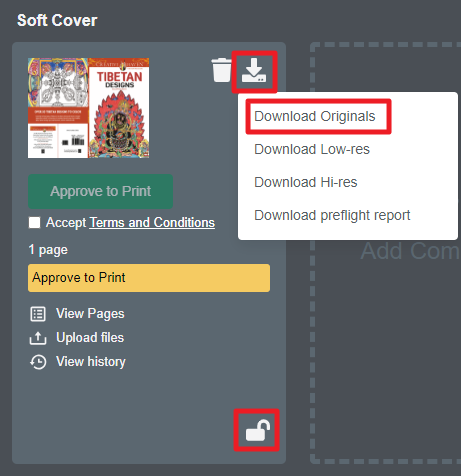
Note - component must be checked out. To download an individual component, (e.g. cover only), click on the download icon on the component card and click 'Download Originals'. A compressed (zip) file will download and contain all original PDFs uploaded to that specific component.
Files downloaded using these options will not include the original, upload file name. Instead, each file will have an alphanumeric name with unique identifiers at the end. Here are some example file names and how to interpret them;
TS38bd59ae-16fd-4a65-a28c-bb8194025a34_1_1.pdf
TS38bd59ae-16fd-4a65-a28c-bb8194025a34_2_1.pdf
TS38bd59ae-16fd-4a65-a28c-bb8194025a34_3_5.pdf
TS38bd59ae-16fd-4a65-a28c-bb8194025a34_4_1.pdf
TS38bd59ae-16fd-4a65-a28c-bb8194025a34_5_9.pdf
'TS38bd59ae-16fd-4a65-a28c-bb8194025a34' denotes internal tracking information for the specific title
'_1_1' denotes first file uploaded and assigned to ordinal page position 1 in a unique component*
'_2_1' denotes second file uploaded and assigned to ordinal page position 1 in a unique component*
'_3_5' denotes third file uploaded and assigned the next available ordinal page position of an existing component - ordinal page 5 in this example
'_4_1' denotes forth file uploaded and assigned to ordinal page position 1 in a unique component*
'_5_9' denotes fifth file uploaded and assigned the next available ordinal page position of an existing component - ordinal page 9 in this example
An original file may contain multiple pages but it is only the first ordinal page position, when uploaded to a unique component, or the next available ordinal page position, when uploaded to an existing component, that is reflected in the file name.
* a unique component also includes unassigned corrections