

Users can invite other Lakeside Scout users to review a title from within the system. The request is specific to the current title only.
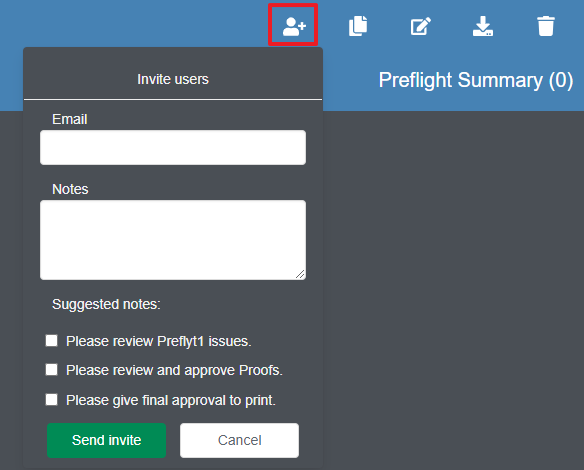
In order to do so, click on the 'Invite users to title' icon in the upper-right corner of the title banner.
Fill out the form with the recipient(s) email address and add any notes to the Notes field. Optionally, the user can select one of the most common reasons for collaboration by checking the applicable box under the Suggested notes section. Click the Send invite button once the form is filled out.
NOTE;
The user must have an active Lakeside Scout account to receive the invitation.
To invite multiple users, enter an email address, type a comma followed by a space, then add another email address.