

Note:
If you need to create a bound galley title, follow the instructions here.
If you need to create a title for testing purposes, follow the instructions here.
If you have access to multiple accounts, make sure you are in the right account. To switch between accounts, follow the instructions here.
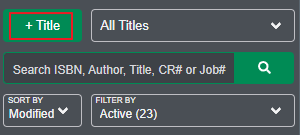
Start by clicking the "+ Title" button in the left menu.
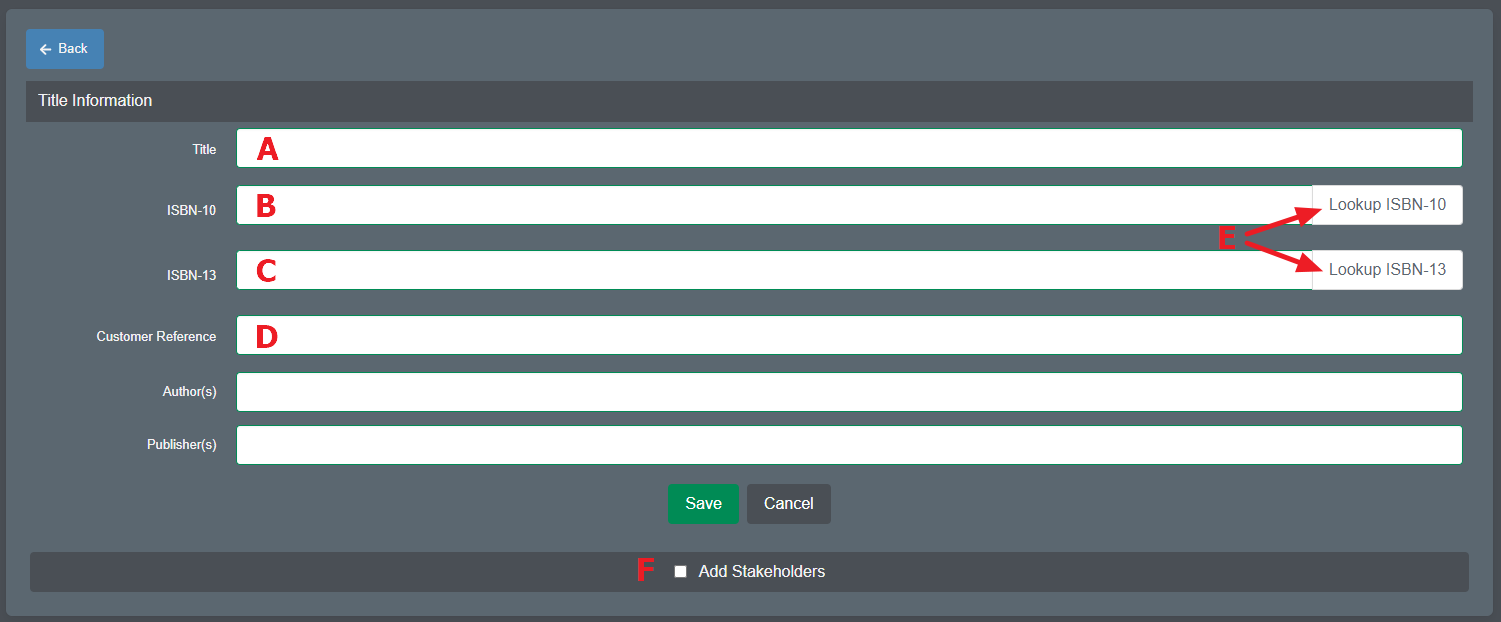
A form will display where you enter information for the new title. Minimum required fields are Title (A) along with either the ISBN-10 (B)*, ISBN-13 (C) or a Customer Reference (D) if an ISBN is not applicable. Other fields are optional.
Another option is to simply enter the ISBN and click the applicable Lookup ISBN button (E). Scout will query a third-party database for information pertaining to that ISBN. If information is available, the system will automatically populate the fields. Note - the ISBN lookup is a service we use to retrieve book information. The information is populated from the publisher's side when the ISBN is reserved. The database gathers information from a variety of publicly available sources, including the library of congress, merchants, and other databases. Accordingly, we have no control over the accuracy of the data in the database. If you believe the information for your book is inaccurate, we suggest you contact the global issuer of ISBNs, http://www.bowker.com/, and have them correct the data which feeds the global databases.
If stakeholders (F) are required, see this article for details.
Click the Save button to create the new title.
* When using the ISBN-10 field, it is recommended to also populate the ISBN-13 field.
For details on best file preparation practices, please see