

Note - Your final, print-ready file(s) must be uploaded under a separate, title record. Follow the instructions here to create a new title.
A test title is not checked against supplied specifications, (i.e., number of colors, trim size and number of pages). Rather, it is a way to check for file integrity issues such as low resolution images, fonts not embedded, non-press color spaces, etc. For a full list of preflight warnings and errors, see this article.
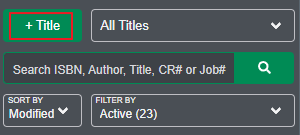
Start by clicking the "+ Title" button in the left menu.
A form will display where you enter information for the test title. Minimum required fields are Title* and Customer Reference**. Leave the ISBN-10 and ISBN-13 fields empty. Author(s) and Publisher(s) fields are optional.
If stakeholders are required, see this article for details.
Click the Save button to create the test title. Once the title is created, follow the upload instructions in this article.
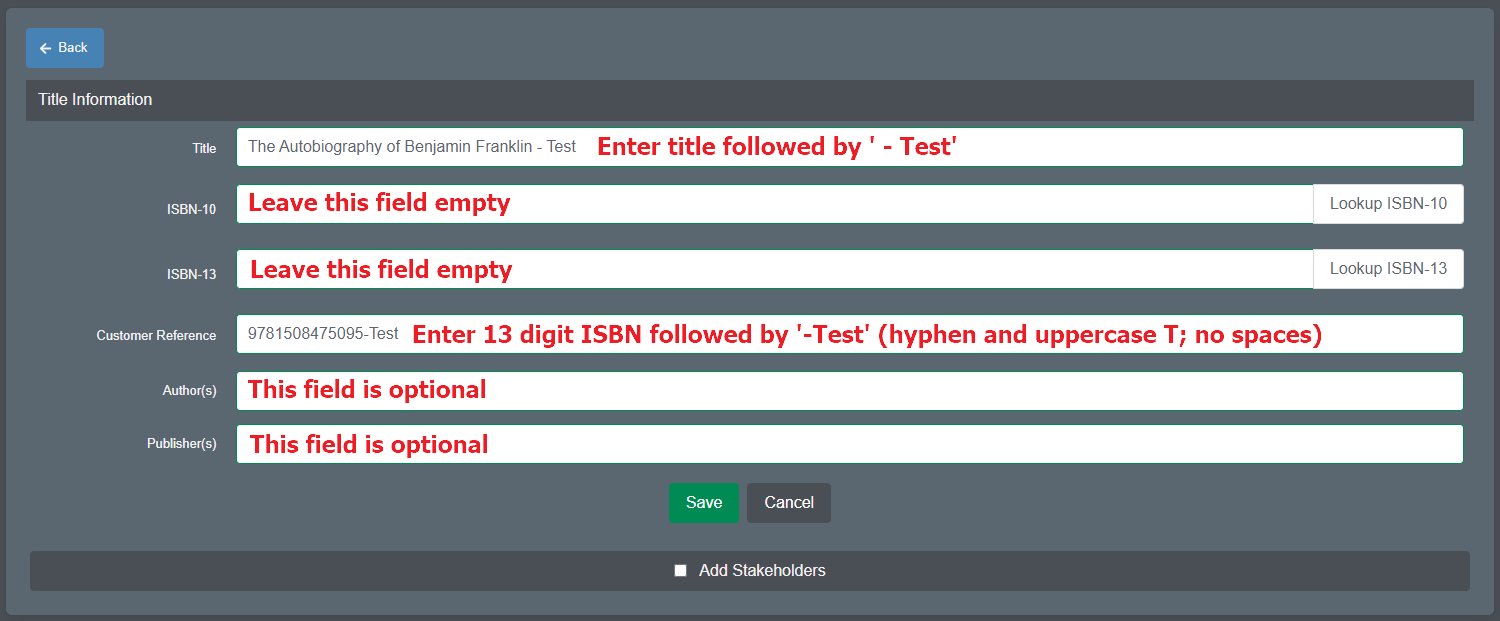
* Title field - it is recommended to include ' - Test' after the book title (see example above).
** Customer Reference field must include the 13 digit ISBN followed by '-Test' (hyphen and Test); the 'T' must be capitalized; do not use spaces (see example above).
For details on best file preparation practices, please see https://prepress.lakesidebookcompany.com/lakeside-prepress/book/