

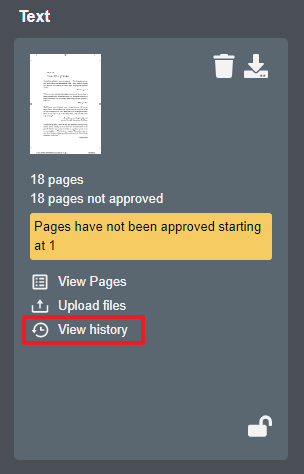
Clicking the 'View history' link on a component card enables you to see action items on that specific component.
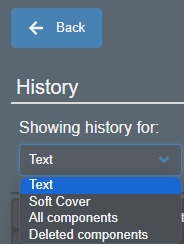
Once the history widow is displayed for a specific component, you have the option to view other components, all components simultaneously or deleted components by clicking on the drop-down list.
Action Item Definition;
Approved;
content has been approved on a single page, range of pages or an entire component, (e.g., when detail reads "approved 384 pages starting at page number "i" of the Text component")
final approval to print, (e.g., when detail reads "approved the Text component to print")
Approved to print - final approval to print, (e.g., when detail reads "approved to print")
Changed - a preflight warning has been signed off - individual page only*
Checkin - component starting to deliver to file repository
Checkout - component checked out from repository (presumably to make corrections)
Copy - page has been duplicated
Create - a component or unassigned correction created
Delete - page, pages or an entire component deleted
Delivered - component delivered successfully to file repository; also denotes delivery to manufacturing when applicable
Download - downloaded original file(s), low or high resolution file(s) or an entire component
Insert - blank page has been inserted
Jobcopy - title created by copying it from another title
Move - corrected page, (i.e., unassigned correction) has replaced an existing page, added as a new page altogether or moved a page from one component to another, (e.g., changed a text page to a cover page)
Not Reviewed - content on page has been changed to pending, (i.e., unapproved)
Re-folio - folio value of multiple pages has been changed† - note; visual reference only - page content is not altered
Rejected - content on page has been rejected
Reset - component checked out for corrections (presumably to make corrections); also used in various component status resets
Resubmit - component delivered successfully to file repository
Scalecenter - page cropped and/or scaled or the nudge function was applied
Shift - page moved from one ordinal page position to another or moved a page from one component to another, (e.g., changed a text page to a cover page)
Upload - file uploaded to a component
* Global sign off on preflight warnings, when performed in the preflight summary window, is not recorded at this time.
† Re-folio does not appear in history when a single page is re-folioed.