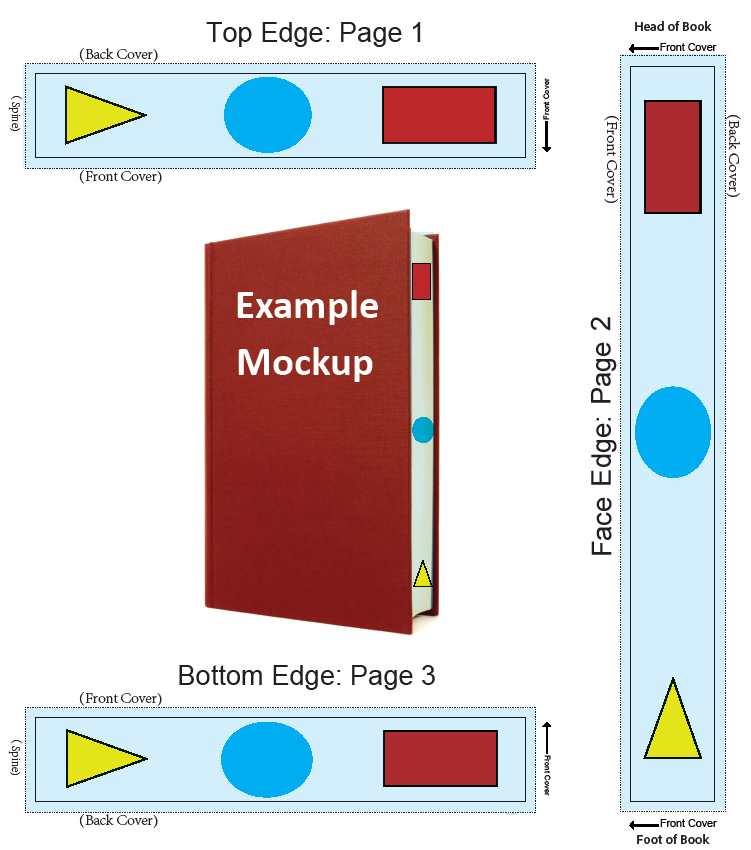
To ensure your Edge treatment files (also referred to as Edge decoration) are set up properly, please review the following instructions carefully and follow each step.
1. The width of the Edge file will represent the Spine (book bulk) and the height will be the trim length. In the example below of a 6 X 9 book, the height for the Top and Bottom Edge files will be 6 inches and the Face will be 9 inches. Page 1 will be the 'Top Edge', page 2 will be the 'Face Edge' and page 3 will be the 'Bottom Edge'.
When applying images and/or color to the Top & Bottom Edge files, the bottom of the file will be the spine of the book.
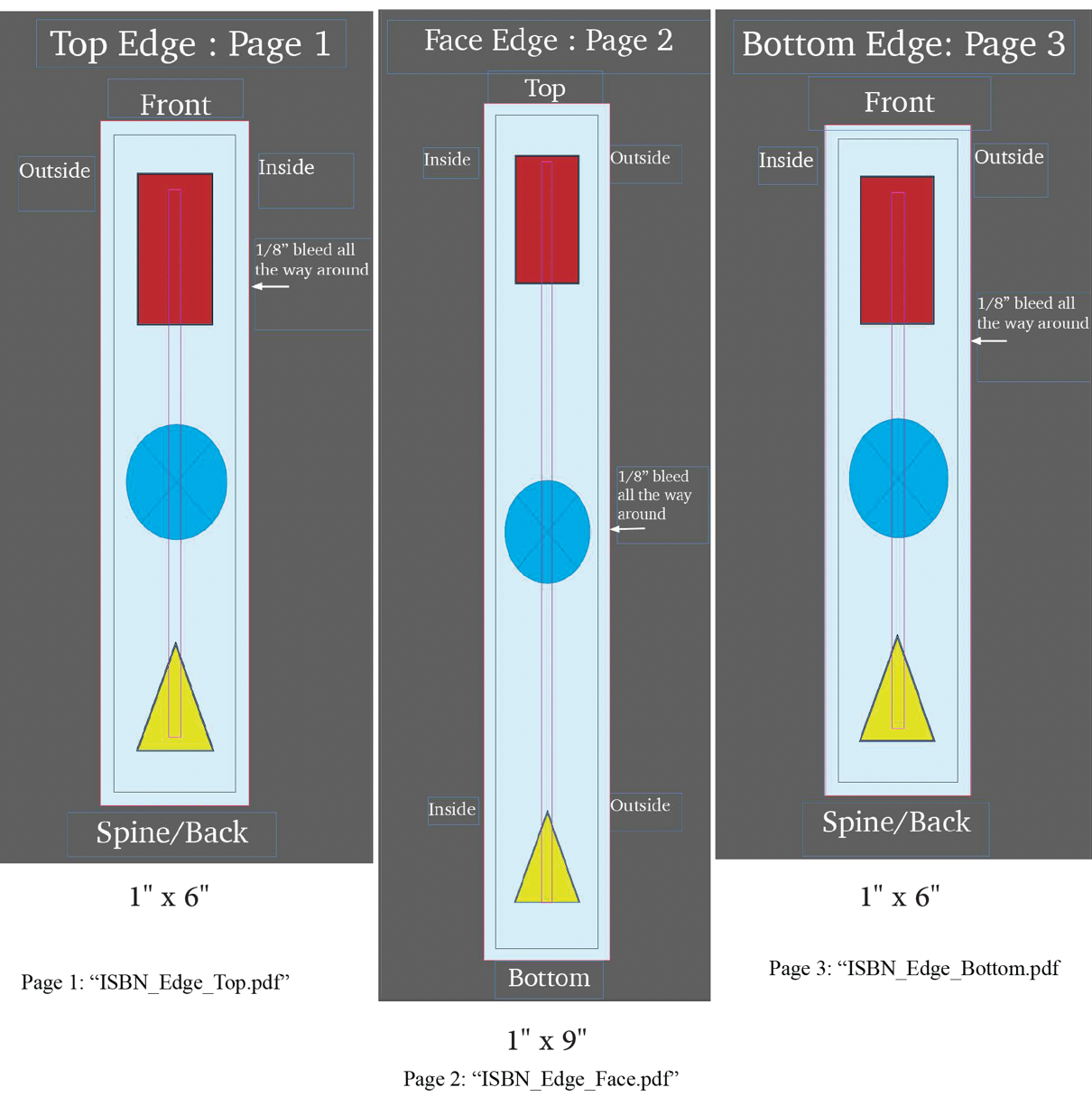
2. When generating your PDFs, create three separate files named as follows. Note: these names correspond to the treatment options available for upload in Lakeside Scout.
ISBN_Edge_Top.pdf, (e.g., 9781234567890_Edge_Top.pdf)
ISBN_Edge_Face.pdf (e.g., 9781234567890_Edge_Face.pdf)
ISBN_Edge_Bottom.pdf (e.g., 9781234567890_Edge_Bottom.pdf)
3. Please provide a mockup of the Edge files similar to the example below to your CSR. This will allow us to confirm that the artwork orientation is accurate.